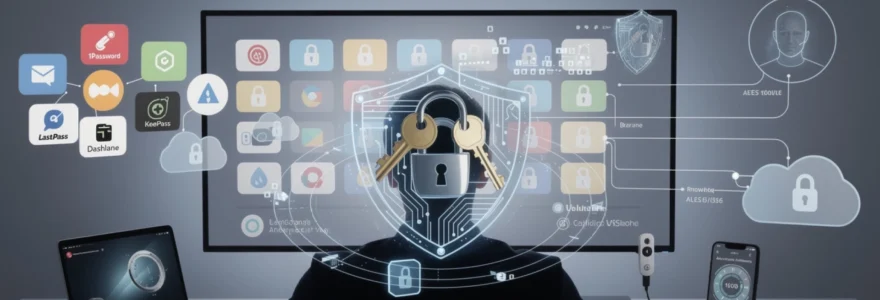
In an era where the average internet user maintains approximately 100 online accounts, the challenge of securing digital identities has reached unprecedented complexity. Cybercriminals exploit weak password practices with devastating efficiency, capable of cracking simple 11-character numeric passwords in mere seconds. Yet despite mounting security threats and data breaches affecting millions of users annually, only one in five individuals utilises a dedicated password manager to protect their digital assets. This stark disconnect between security needs and actual practices leaves countless accounts vulnerable to credential stuffing attacks, phishing schemes, and unauthorised access.
Password managers represent the most effective defence against these evolving threats, transforming password security from a burden into an automated safeguard. These sophisticated tools generate cryptographically secure credentials, store them in encrypted vaults, and eliminate the dangerous practice of password reuse that compromises entire digital ecosystems. Understanding the technical architecture, implementation strategies, and security protocols of modern password management solutions becomes essential for anyone serious about protecting their digital presence in today’s interconnected landscape.
Password manager cryptographic architecture and security protocols
The foundation of any robust password manager lies in its cryptographic architecture, which determines how your sensitive data remains protected even if the service provider experiences a security breach. Modern password management solutions employ multiple layers of encryption and security protocols designed to ensure that your passwords remain inaccessible to unauthorised parties, including the service providers themselves.
The security model of password managers operates on the principle of zero-knowledge architecture, where your master password serves as the sole key to decrypt your stored credentials. This approach ensures that even if attackers compromise the password manager’s servers, they cannot access your plaintext passwords without your master password. The cryptographic processes involved include sophisticated key derivation functions, salt generation mechanisms, and military-grade encryption standards that work together to create an impenetrable digital vault.
AES-256 encryption standards in 1password and bitwarden
Advanced Encryption Standard with 256-bit keys (AES-256) represents the gold standard for password manager encryption, utilised by leading providers including 1Password and Bitwarden. This encryption algorithm, approved by the U.S. National Security Agency for top-secret information, creates 2^256 possible key combinations – a number so vast that it would take billions of years to crack using current computing power. The implementation involves encrypting each password entry individually before transmission to cloud servers, ensuring that even internal system breaches cannot expose your credentials.
Both 1Password and Bitwarden implement AES-256 encryption in Galois/Counter Mode (GCM), which provides authenticated encryption that verifies data integrity alongside confidentiality. This approach prevents tampering attacks where malicious actors might attempt to modify encrypted data without detection. The encryption process occurs locally on your device before any data transmission, ensuring that your passwords never exist in plaintext on the provider’s servers.
Zero-knowledge architecture implementation across LastPass and dashlane
Zero-knowledge architecture ensures that password management providers cannot access your encrypted data, even if compelled by legal authorities or compromised by attackers. LastPass and Dashlane implement this principle by performing all encryption and decryption operations on your local device using your master password as the foundation for key generation. The providers receive only encrypted data that remains meaningless without your master password-derived keys.
This architectural approach creates an interesting challenge: if you forget your master password, neither LastPass nor Dashlane can recover your data. While this might seem inconvenient, it represents the ultimate security feature – absolute protection against unauthorised access. Some providers offer emergency access features that allow trusted contacts to request account access after predefined waiting periods, but even these systems maintain zero-knowledge principles by requiring the trusted party to have access to your recovery keys.
PBKDF2 key derivation functions and salt generation methods
Password-Based Key Derivation Function 2 (PBKDF2) transforms your memorable master password into cryptographically strong encryption keys through iterative hashing processes. This function applies your master password and a unique salt value through thousands or millions of iterations, creating computational overhead that makes brute-force attacks prohibitively expensive. The salt generation process ensures that identical master passwords produce completely different encryption keys, preventing rainbow table attacks.
Modern password managers typically employ 100,
000 to 600,000 iterations or more, depending on the provider and whether you are using a free or enterprise plan. Higher iteration counts dramatically slow down offline password cracking attempts, forcing attackers to spend substantial computational resources for each password guess. Many enterprise-grade password managers allow administrators to configure custom PBKDF2 iteration counts, enabling organisations to align their password manager security with internal policies and evolving threat landscapes.
Some modern solutions are also beginning to supplement or replace PBKDF2 with more advanced memory-hard functions such as Argon2, which further increase resistance to GPU and ASIC-based attacks. Regardless of the specific algorithm, the key takeaway for you as a user is simple: the combination of unique salts and high iteration counts makes your master password-derived keys significantly harder to brute-force, even if an attacker manages to obtain your encrypted vault.
End-to-end encryption vulnerabilities in KeePass database files
Unlike many cloud-based password managers, KeePass stores your passwords in a local, encrypted database file, which you can optionally sync using cloud storage services like OneDrive or Dropbox. While this model still provides end-to-end encryption, its security depends heavily on how you configure and manage that database. If your master password is weak, your device is compromised with malware, or your backup files are left unprotected, attackers can attempt offline cracking or data exfiltration attacks against the KeePass database.
Several proof-of-concept attacks have demonstrated that if an attacker already has access to a running system, they may capture decrypted KeePass entries from memory or via malicious plugins. This is not unique to KeePass—any password manager exposed on a compromised device is at risk—but the flexibility of KeePass means you must be more proactive about hardening your setup. Using a strong master password, enabling key files, regularly updating KeePass and plugins, and storing database files only in trusted, encrypted locations are essential steps to maintain strong end-to-end encryption in a KeePass-based workflow.
Multi-factor authentication integration with enterprise password solutions
Even the strongest encryption cannot protect your accounts if an attacker tricks you into revealing your master password or steals it via malware. This is where multi-factor authentication (MFA) becomes critical: by adding a second (or even third) factor, such as a one-time code or hardware key, enterprise password solutions create multiple layers of defence. In practice, this means that compromising your password manager vault requires not just something you know, but also something you have or something you are.
Most leading business password managers support a mix of time-based one-time passwords, hardware security keys, and biometric authentication. When you combine these with strict access controls and detailed audit logs, the result is a much more robust security posture for your organisation. You move from relying on a single secret to a defence-in-depth strategy that can withstand phishing, credential stuffing, and many forms of social engineering.
TOTP algorithm implementation in authy and google authenticator
The most common second factor used with password managers is the Time-Based One-Time Password (TOTP) algorithm, implemented in tools like Authy and Google Authenticator. TOTP works by generating a new six- or eight-digit code every 30 seconds using a shared secret key and the current time. When you enable TOTP for your password manager, you must enter this short-lived code in addition to your master password, ensuring that a stolen password alone is not enough to unlock your vault.
From a practical standpoint, using TOTP with a password manager is straightforward: you scan a QR code when setting up MFA and then rely on your authenticator app to generate codes whenever you sign in from a new device or after a timeout. Because the TOTP secret never leaves your device and the codes expire quickly, attackers cannot easily reuse intercepted codes. For higher resilience, solutions like Authy provide multi-device backups and recovery options, while Google Authenticator keeps things intentionally simple, suiting users who prefer a minimal, offline-focused approach.
Hardware security key compatibility with YubiKey and FIDO2 standards
For organisations and individuals facing higher risk profiles, hardware security keys such as YubiKey, based on FIDO2 and WebAuthn standards, provide one of the most robust forms of MFA for password managers. Instead of typing a code, you physically tap or insert the key when prompted, and cryptographic signing verifies that you possess the authentic device. Because FIDO2-based authentication is resistant to phishing and man-in-the-middle attacks, it significantly raises the bar for attackers targeting your accounts.
Most enterprise password solutions support YubiKey and similar devices as either a second factor or, in some cases, as part of a passwordless login flow. In highly regulated industries, security teams often mandate hardware keys for administrators or privileged accounts, reducing the risk of account takeover through stolen credentials. While physical keys require some initial investment and user training, they pay off in reduced incident rates and stronger protection for critical password vaults.
Biometric authentication protocols in windows hello and touch ID
Biometric authentication, such as Windows Hello on Windows devices and Touch ID or Face ID on Apple hardware, offers a convenient way to secure local access to password managers without sacrificing usability. Rather than entering your master password repeatedly, you can unlock your encrypted vault using your fingerprint or facial recognition. Under the hood, these systems rely on secure hardware modules like Trusted Platform Modules (TPMs) or Secure Enclaves to store biometric templates and cryptographic keys.
Importantly, your biometric data never leaves your device and is not transmitted to the password manager service. The biometric factor simply unlocks the locally stored encryption key that decrypts your vault. This design preserves the zero-knowledge architecture while making secure behaviour easier for you to adopt daily. For enterprise deployments, administrators can set policies that require biometrics on managed devices, balancing strong account protection with minimal friction for end users.
Sms-based 2FA security flaws and SIM swapping attack vectors
Although SMS-based two-factor authentication is still widely offered, it is increasingly considered the weakest mainstream MFA option for protecting password managers and other sensitive accounts. Attackers can exploit the mobile network ecosystem through SIM swapping, where they convince or bribe telecom staff to port your phone number to a SIM they control. Once they receive your SMS messages, they can intercept 2FA codes and reset passwords for multiple services linked to your number.
In addition to SIM swap attacks, SMS codes are vulnerable to interception via SS7 protocol flaws and malware on compromised devices. For this reason, security professionals strongly recommend avoiding SMS for securing your password manager whenever possible. Instead, you should prefer TOTP apps, push-based authenticators, or hardware security keys, which are far more resilient against remote attacks and social engineering.
Password generation algorithms and entropy calculation methods
The strength of your online security ultimately depends on the randomness and length of your passwords, often referred to as entropy. Modern password managers use cryptographically secure pseudo-random number generators (CSPRNGs) to create passwords that are unpredictable and resistant to brute-force attacks. These generators pull randomness from your operating system’s secure sources, such as /dev/urandom on Unix-like systems or the Windows Cryptographic API, ensuring that patterns are not easily detectable.
Entropy is usually measured in bits; each additional bit doubles the number of possible combinations. For example, a randomly generated 16-character password using upper and lower case letters, numbers, and symbols can easily exceed 90 bits of entropy, making it computationally infeasible to guess with current technology. Many password managers include built-in entropy calculators and strength meters that guide you towards high-entropy, unique passwords for each account, rather than relying on guessable phrases or personal information.
Some tools also allow you to generate passphrases—strings of random words—based on the Diceware method or similar algorithms. These passphrases trade some character-level complexity for length, making them easier to remember while still delivering strong entropy when implemented correctly. Whether you choose random strings or passphrases, the key advantage of using a password manager is that it handles the complexity for you, so you never need to reuse a weak password simply because it is easier to recall.
Cross-platform synchronisation and cloud storage security models
One of the biggest advantages of a modern password manager is seamless access to your vault across desktops, laptops, tablets, and smartphones. To provide this convenience, most solutions synchronise encrypted vault data via cloud infrastructure, while ensuring that your provider cannot see or modify your plaintext passwords. This synchronisation uses end-to-end encryption, where your device encrypts data before upload and decrypts it only after download using keys derived from your master password.
Cloud storage security models vary slightly between providers, but the common baseline includes TLS-encrypted connections in transit, AES-256 encryption at rest, and strict access controls within the provider’s infrastructure. Some services offer region-specific data centres or on-premises hosting options for organisations with strict compliance requirements. You also have the option, in some tools, to disable cloud sync entirely and manage local-only vaults if your risk profile or regulatory environment demands maximum isolation.
Of course, synchronisation security is not just about the cloud; it is also about the devices you use daily. Ensuring that each device is protected with full-disk encryption, up-to-date operating systems, and strong login credentials is just as important as choosing a reputable password manager. By combining secure cloud sync with hardened endpoints, you gain the convenience of cross-platform access without exposing your password vault to unnecessary risk.
Enterprise password management deployment and active directory integration
In business environments, password management extends beyond individual convenience to become a critical component of identity and access management (IAM). Enterprise password managers integrate with directories such as Microsoft Active Directory (AD) or Azure AD to streamline onboarding, offboarding, and access control. This integration allows organisations to tie password vault access to existing user accounts, group memberships, and security policies, reducing administrative overhead and human error.
Through directory synchronisation, IT teams can automatically provision password manager accounts when new employees join and revoke access when they leave, closing common gaps that attackers exploit. Role-based access control (RBAC) enables granular permissions for shared vaults, ensuring that teams only see the credentials required for their roles. Detailed audit logs track who accessed which credentials and when, supporting compliance with regulations such as ISO 27001, SOC 2, and GDPR.
Many enterprise solutions also integrate with single sign-on (SSO) providers using SAML or OAuth standards. This allows users to authenticate to the password manager via corporate identity providers while still maintaining zero-knowledge encryption for vault contents. By aligning enterprise password management deployment with your existing AD and SSO infrastructure, you can enforce consistent security controls and reduce the chance of shadow IT tools creeping into your environment.
Password manager breach analysis: LastPass 2022 incident and recovery protocols
No security tool is completely immune to incidents, and understanding how providers respond to breaches is crucial when you choose a password manager. The LastPass 2022 incident, in which attackers gained access to portions of LastPass’s development environment and subsequently obtained encrypted customer vault backups, highlighted both the strengths and limitations of zero-knowledge architecture. While attackers accessed encrypted vault data, they did not gain master passwords or plaintext credentials, as these remained exclusively under users’ control.
The primary risk from this breach was the potential for offline brute-force attacks against the stolen encrypted vaults, particularly for users with weak master passwords or low PBKDF2 iteration counts. LastPass advised affected customers to strengthen their master passwords and update critical account passwords as a precaution. This incident underscored how vital strong master passwords, high iteration counts, and multi-factor authentication are in making such stolen data practically unusable to attackers.
From an organisational perspective, the LastPass breach also demonstrated the importance of vendor transparency, incident response speed, and clear communication. When evaluating password managers, you should look for providers with robust security programmes, independent audits, and well-documented recovery protocols. Ultimately, the goal is not just to avoid any incident—an unrealistic expectation in today’s threat landscape—but to ensure that, even in a worst-case scenario, your encrypted vault remains resilient and your accounts can be quickly secured with minimal disruption.